
Choosing the right Printing Device can shape your daily workflow, customer experience, and operating costs. It is not simply a choice between inkjet and laser technology. Your decision should reflect document volume, print quality, paper variety, available space, and long-term maintenance needs. A small design studio may value accurate color and flexible media handling. A busy warehouse may need fast, reliable labels instead.
Real workplace experience often reveals details that product pages overlook. A printer may promise high speed, yet frequent paper changes can slow a team down. A compact model may fit neatly beside a desk, but its small toner cartridge could create repeated interruptions. Consider who will use the device, how often they will use it, and which tasks matter most. Speak with staff before purchasing. Their practical observations can prevent an expensive mismatch.
Cost deserves careful attention. Compare the purchase price with ink, toner, energy use, repairs, software, and expected service life. Check independent reviews, manufacturer specifications, warranty terms, and security features. Network-connected devices should support controlled access and regular firmware updates. These steps improve reliability and protect business information.
There is no perfect choice.
A useful evaluation begins with honest measurement. Record your monthly print volume, typical page sizes, color requirements, and peak workloads. Then test shortlisted models with real files, not only sample pages. A device that performs well in a showroom may behave differently during a deadline. Review your assumptions, too. Business needs change, and the cheapest option today may become costly within a year.
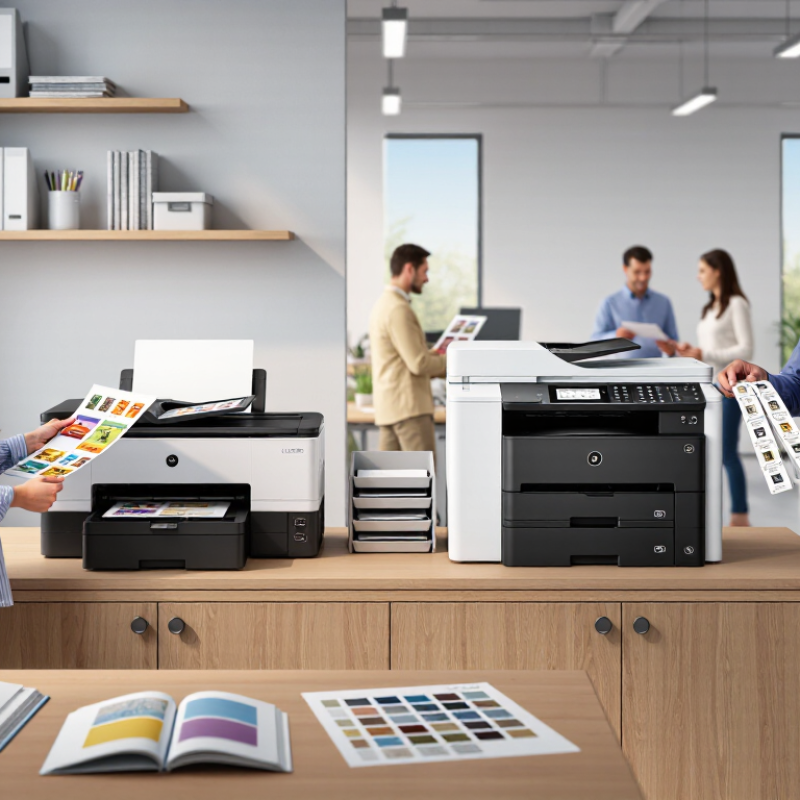
Choosing the right printing device begins with understanding your actual business workload. Count daily pages for at least one week, including invoices, reports, labels, and customer documents. Do not rely on occasional busy days alone.
My early estimates were too optimistic. I ignored monthly peaks, which caused delays during billing periods. Record your average volume, busiest hour, and required print speed. Note whether employees print mainly in black and white or use color regularly. Paper size matters too. A small design team may need larger formats, while a legal office may need reliable double-sided printing. Also consider scanning, copying, mobile access, and secure release features. These functions can reduce manual steps, but unnecessary features may increase costs and training time. Ask staff what slows them down. Their answers often reveal needs that usage reports miss.
Tips: Track peak workload, not only averages. Test sample documents before buying. Estimate paper, maintenance, and energy costs over three years. Leave some capacity for growth, but avoid paying for capacity you may never use. A practical trial with real files is more reliable than a specification sheet. Review the data again after one month. Your assumptions may be wrong.

Choosing a printing device starts with output needs, not the product label. A small office handling contracts may need a monochrome laser printer with automatic duplexing. A design studio needs accurate color control and wider media support. Retail counters may benefit from thermal output because receipts must print quickly and quietly.
IDC’s Worldwide Quarterly Hardcopy Peripherals Tracker reported approximately 78.5 million units shipped globally in 2023, an 11.7% annual decline. That pressure makes overbuying especially risky. Compare total cost, including toner or ink, maintenance, electricity, and wasted paper. Inkjet devices often suit vivid graphics and occasional use. Laser and LED systems usually fit high-volume text work. Thermal technology can be efficient for labels, but it is less suitable for documents requiring long-term color stability.
Functions matter as much as speed. Check scan resolution, duplex scanning, mobile access, user authentication, and document workflow compatibility. A printer rated at 40 pages per minute may slow down when scanning, warming up, or processing complex files. Real office testing can reveal this gap. It is easy to overlook.
Energy use deserves a closer look. ENERGY STAR imaging-equipment criteria are designed to reduce power consumption through efficient operating and sleep modes. However, published ratings may not match your daily duty cycle. Measure weekly volume, peak queues, paper sizes, and color ratios before deciding. Security should also be practical: encrypted transmission, secure release printing, and regular firmware updates protect documents moving through shared networks. Fancy features are not always useful.
How to Choose the Right Printing Device for Your Business?
Print quality should match the work, not merely the brochure. For contracts, inspect small text, fine lines, and shaded areas. ISO/IEC 24711 provides a standardized method for measuring page yield, while ISO/IEC 24734 supports comparable print-speed testing. These standards improve reliability, but real office conditions still matter. Paper type, humidity, and complex graphics can reduce performance.
Speed is useful only when capacity supports it. A device rated at 40 pages per minute may slow down with duplex printing or heavy color files. Estimate monthly pages, peak-hour demand, and paper-tray size. ENERGY STAR reports that certified imaging equipment can use about 25% less energy than conventional models. Quocirca’s 2024 Print Security Landscape also shows that organizations increasingly treat secure connectivity as a business priority. Choose Wi-Fi, Ethernet, mobile access, and user authentication carefully. Convenient is not always secure.
Tips: Test real documents before purchasing. Print a ten-page contract, a spreadsheet, and a photo-heavy presentation. Check output after warm-up. Ask for measured duty cycles, not optimistic maximums. I would also leave capacity overhead. A device running near its limit may become noisy, slow, and expensive. The perfect specification sheet does not guarantee a comfortable workday.
Comparison of typical device classes using normalized scores for print quality, speed, capacity, and connectivity.
Scores are normalized from representative, publicly published specifications commonly found in each device class. Office inkjet devices typically provide strong color quality, while laser and production systems offer higher speed, paper capacity, and business connectivity. Select the device class that best matches your monthly volume, media requirements, and workflow integrations.
Choosing a printing device requires more than comparing purchase prices. Calculate total ownership cost over 36 or 60 months. Include installation, software, energy, paper handling, consumables, service, downtime, and end-of-life removal. The first estimate is rarely right.
Keypoint Intelligence research on managed print services indicates that controlled print environments can reduce document-related costs by roughly 20% to 30%. However, savings depend on usage data, not optimistic assumptions. Record monthly pages, color ratios, peak workloads, and failed jobs. A device printing 8,000 pages monthly may appear affordable until frequent cartridge changes and service visits increase labor costs. Ask for a clear cost-per-page schedule, including maintenance kits and replacement parts.
Maintenance deserves closer attention. Quocirca’s 2023 Global Print Security Landscape reported that 61% of organizations had experienced print-related data loss or breaches. Secure release features may add expense, but a single exposed document can create operational and compliance costs. Review firmware support, access controls, repair response times, and technician coverage. Keep a small reserve for unexpected failures. That reserve is practical. Energy should also be measured; ENERGY STAR data shows certified imaging equipment can use substantially less energy than standard models, especially during sleep and standby modes. Yet energy savings may be overstated when devices remain powered continuously. Test actual behavior for two weeks before approving the final purchase.
Choosing the right printing device starts with your workspace, not your monthly page estimate. Measure the available area, including space for open trays and paper loading. A compact room may need a front-access device near a shared desk. Check noise levels too. Loud printing can interrupt calls and focused work.
In office assessments, I look at daily movement before recommending equipment. Staff should not squeeze between chairs to collect documents. The device should support wireless access, secure user permissions, and simple maintenance. A clear display helps occasional users avoid repeated mistakes. Also examine power access and ventilation. These details often matter more than a long feature list.
Plan for growth without buying far beyond your needs. Estimate how many people may use the device within three years. Choose enough speed, paper capacity, and connectivity for that change. Modular options can help when work expands, but confirm upgrade costs early. I once selected a highly capable device for a small team. It consumed valuable space and created unnecessary complexity. That choice looked efficient, but it was not. Leave room for new staff, larger files, and changing workflows. Recheck those assumptions before approving the purchase.
Headquarters
2980 Scott St, Vista, CA 92081
Phone: (760) 734-4177
Fax: (760) 734-4188
Open: 8:00 am – 4:30 pm
Texas
8051 Jetstar Dr #175 Irving, TX 75063
Phone: (972) 915-6888
Fax: (972) 915-6999
Open: 8:00 am – 4:30 pm
Florida
14231 Jetport Loop. #1 Fort Myers, FL 33913
Phone: (239) 225-4020
Fax: (239) 225-4024
Open: 8:00 am – 4:30 pm