
What Is a Smart Paging Machine and How Does It Work?

A Smart Paging Machine is more than a box that beeps. It receives an alert, identifies its destination, and sends a message to a pager or connected device. In a hospital corridor, that message might direct a nurse to a room. In a hotel, it could tell a technician which service area needs attention. The machine’s value depends on clear routing, reliable coverage, and messages people can understand quickly.

The market context is relevant, but it needs careful interpretation. MarketsandMarkets’ Nurse Call Systems Market report examines market estimates and forecasts for systems that include alerting and communication technologies. These systems are not identical to every paging machine, so their figures should not be treated as a direct measure of the paging-machine market. Still, they show why dependable notification tools matter in busy care settings. A missed alert can mean a delayed response. A confusing alert can create another problem.

Patient-safety expert Atul Gawande wrote, “The volume and complexity of what we know has exceeded our individual ability to deliver its benefits correctly, safely, or reliably.” His observation concerns complex work broadly, not paging machines specifically. Yet it captures a design challenge: technology must help people act, not merely produce more signals. That distinction is easy to overlook. This introduction explores what a Smart Paging Machine does, how its main components work together, and where reliability depends on thoughtful setup as much as hardware.
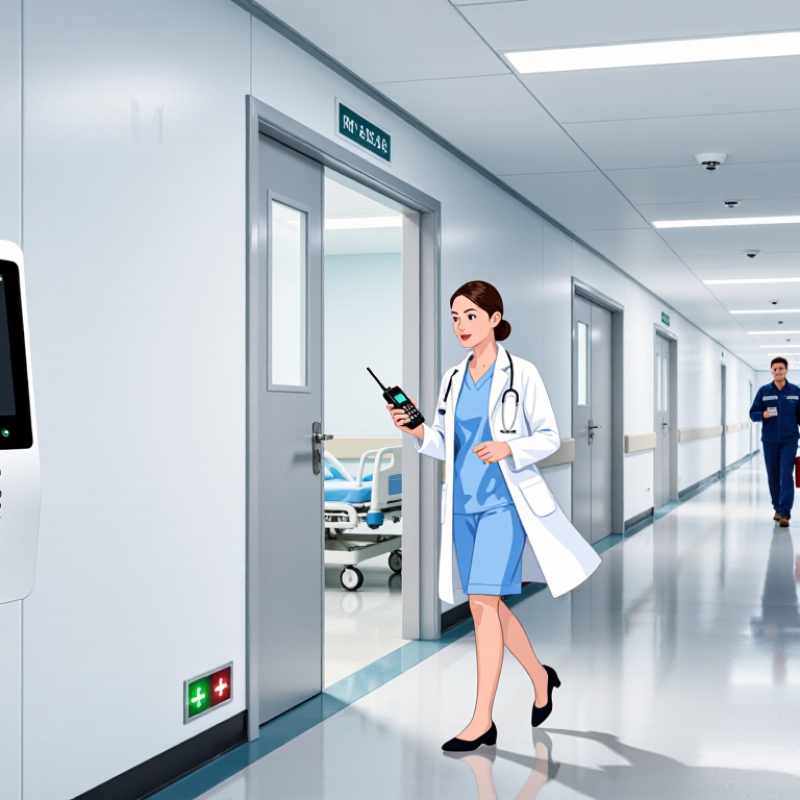
What Is a Smart Paging Machine and How Does It Work?

What a Smart Paging Machine Is

A smart paging machine is a communication system that alerts a person when attention is needed. In a café, for example, staff can give a customer a small pager after taking an order. When the meal is ready, the system sends a signal to that pager. It may flash, vibrate, beep, or use a combination of alerts. The customer can wait at a nearby table instead of standing beside the counter.

The system usually has a transmitter or control unit and several pagers. Staff enter or select a pager number, then send an alert when the order or service is ready. Some systems also connect with queue-management software, allowing alerts to follow changes in a service workflow. The exact features vary. “Smart paging machine” is not always a precise technical term, so it is worth checking what a particular system actually includes.

Simple, but useful. A good setup makes alerts easy to notice without making the room noisy. Range, battery life, obstacles, and signal interference can affect performance, so testing the equipment in its actual location matters. I would not assume that a flashing light alone is enough; customers may be distracted, or may not recognize the pager’s signal. Clear instructions at handoff help, even when the device seems self-explanatory.

Core Components and Their Roles

A smart paging machine combines a transmitter, individual pagers, a charging dock, and control software. The transmitter sends a signal when staff assign a pager or call a guest. Each pager receives an ID-specific alert, then uses a vibration motor, light, or display to show that it is ready. Simple, but every part matters. A busy counter needs clear button labels and a display that remains readable under bright lights.

The dock recharges pagers and helps staff see which units are available. Software can track assignments, alert status, and return times; network-connected models may also link with ordering or queue systems. IoT Analytics’ State of IoT—Summer 2024 report estimated 18.8 billion connected IoT devices by the end of 2024, a 13% year-over-year increase. That figure describes the wider connected-device market, not paging machines specifically. It does show why reliable connectivity and device management matter. One weak spot remains: dead batteries or poor radio coverage can delay an alert, so routine range and charging checks are practical, not optional.

How Paging Requests Are Received

A smart paging machine receives a request from a call button, desk terminal, or connected sensor. The device assigns an identifier, such as a room number, service area, or urgency level. Its controller formats that information into a brief message and places it in a transmission queue. If several requests arrive together, queue rules help prevent messages from being lost or mixed. Some systems also record the time and source of each request for later review. Not every setup does.

The transmitter then sends the message by radio to the intended pager or group of pagers. A pager may beep, vibrate, or display text, depending on its capabilities and settings. In a one-way system, the machine cannot confirm that a person saw the alert. That matters. Two-way systems may return an acknowledgment, but coverage, battery condition, and configuration still affect delivery. For example, a request sent from a concrete-walled room may arrive late if signal strength is weak. Routine tests should check call buttons, message routing, receiver range, and backup power. A real installation needs careful tuning; a clean diagram can make paging seem more reliable than it is.

How Messages Are Processed and Routed

A smart paging machine turns an incoming alert into a message that can reach the right person. It accepts text or system events, checks required fields, and applies rules for priority, recipients, and delivery channels. A nurse-call event, for example, might trigger a short screen message, a tone, and an escalation timer. Rules can match the department, duty roster, urgency, and device availability. Then it routes. A gateway may send the alert over a local radio network, an IP link, or a cellular connection; acknowledgments return to the system. If no acknowledgment arrives, a configured fallback can notify another role. Duplicate alerts, stale rosters, or incorrect priorities can still misdirect a message.

Routing is more than delivery; it is a chain of decisions. The machine may verify sender permissions, standardize the message, select recipients, and log delivery status. Verizon’s 2024 Data Breach Investigations Report found that 68% of breaches involved a non-malicious human element, such as error. This is not a paging-specific measure, but it reinforces the need for careful roster and template controls. Ponemon Institute’s 2024 Cost of a Data Breach Report put the global average breach cost at $4.88 million. That matters. Keep messages concise, limit access, and test fallback paths during shift changes. I would still question whether every alert needs escalation; too many urgent tones can train people to ignore them. A small configuration error can travel quickly.

What Is a Smart Paging Machine and How Does It Work?

A smart paging system validates an incoming message, identifies its recipients, applies routing rules, and forwards it through a paging gateway. Delivery or acknowledgment may then be reported back to the system.

Illustrative example only: the processing times below are modeled values, not measured benchmark data. Actual times vary by system configuration, network conditions, and device response.

How Alerts Reach Users and Confirm Delivery

A smart paging machine receives an alert, identifies its intended recipient, and sends the message through a connected network. Staff may enter a short note at a console, while software routes it to a pager or another approved device. The message could read, “Loading dock: delivery waiting.” Clear wording matters when people are moving or working in noisy rooms.

Delivery confirmation is not always the same as proof that someone read an alert. A device may send a receipt when it receives the signal, giving the system a timestamp. If no receipt arrives, the machine can retry or route the alert to a backup contact, depending on its settings. Not every device supports the same feedback, so teams should check what each status actually means.

Imagine a technician receives an equipment warning during a shift. The system records when it sent the alert and whether the pager responded. That record can help a supervisor spot delays, such as weak coverage near a stairwell. Still, a successful receipt does not guarantee action. People can miss messages, and network gaps happen. Regular tests, accurate contact lists, and realistic escalation rules make delivery more dependable, though no setup is flawless.

What Is a Smart Paging Machine and How Does It Work? — How Alerts Reach Users and Confirm Delivery

Stage What Happens Information Typically Handled Delivery or Confirmation
1. Alert creation An authorized person or connected system creates an alert and selects one or more recipients or groups. Message text, recipient or group, priority, timestamp, and any escalation instructions. The paging system records the alert and prepares it for routing. This confirms submission to the system, not receipt by a user.
2. Routing The system checks recipient assignments and rules, such as on-call schedules, priority levels, or backup contacts. Recipient list, delivery channel, priority, and routing or escalation rules. Routing records can show which destinations were selected and when the alert was queued.
3. Transmission A paging transmitter sends the alert over a paging network. Depending on the system, the message may be sent to one device, a group, or multiple coverage areas. Addressed message data and signaling used by the receiving device; message length and format depend on the system. A transmission log can confirm that the system sent the message. It does not, by itself, prove that a pager received or displayed it.
4. Reception A compatible pager listens for its assigned address, receives the matching signal, and presents the alert using a display, tone, vibration, or a combination. Device address, alert content, and any configured sound or vibration behavior. In a one-way paging setup, the sender generally cannot confirm that the device received or displayed the alert.
5. User acknowledgment For systems with a return channel or connected acknowledgment workflow, the recipient can acknowledge the alert, often by pressing a button or responding through an associated interface. Acknowledgment status, recipient or device identifier, and response time. An acknowledgment confirms that a response was received by the system; its exact meaning depends on the workflow and does not necessarily prove that the message was read or acted on.
6. Escalation If an acknowledgment is required but not received within the configured interval, the system may notify another recipient or repeat the alert. Escalation timer, backup recipient, retry settings, and delivery history. Event logs can show retries and escalation steps. Escalation behavior depends on system configuration.
7. Status review Authorized users review the alert history to understand how the message moved through the system. Creation time, routing events, transmission attempts, acknowledgments, and escalation records. Separate statuses—such as submitted, transmitted, acknowledged, or closed—help distinguish system activity from confirmed user response.

Important distinction: A paging machine can send alerts through a paging network, but delivery confirmation varies. One-way systems typically provide transmission records only; acknowledgment requires a supported return channel or a separate response workflow.

Shopping cart